Fast & Free SlideShare Downloader – Download PPT/PPTX/PDF
⏳ Fetching slides...
YourPPT.net is a fast, secure, and online tool that first locates the slides and download them it allows you to download any content from SlideShare simply by just pasting your link. This is a tool that can directly download the PDF, PPT, Doc, Zip and PPTX files, and it is designed for students, educators, researchers, and professionals without any charges.
What Is SlideShare?
When you think about a SlideShare downloader, simplicity comes first. Almost every third-party slideshare downloader provides easy and quick access to download slideshare content like it can download business presentations, can save study notes and educational slides, or shares presentations without any internet access.
How to use SlideShare PPT/PDF Downloader?
Usage of this tool is rather simple , you just need to follow the steps given below:
First design the PowerPoint Slides.
Then you need to copy URL that you want to download from SlideShare.
Paste that link in the tool and click ‘Download’.
Press the Download options and choose the format, such as PPT, PDF or ZIP, in which you want to get your files.
Then save the file to your device and enjoy offline access to the file.
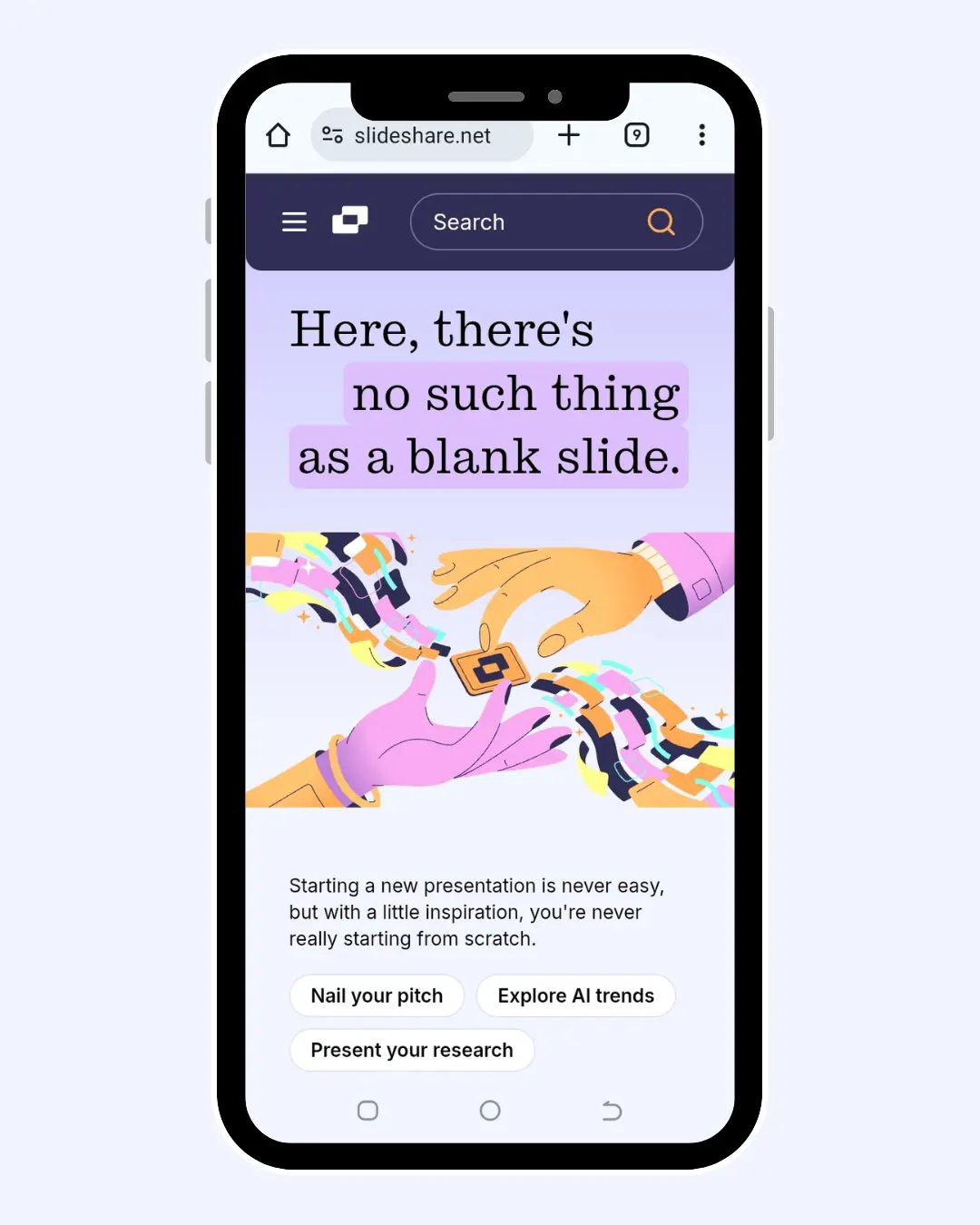
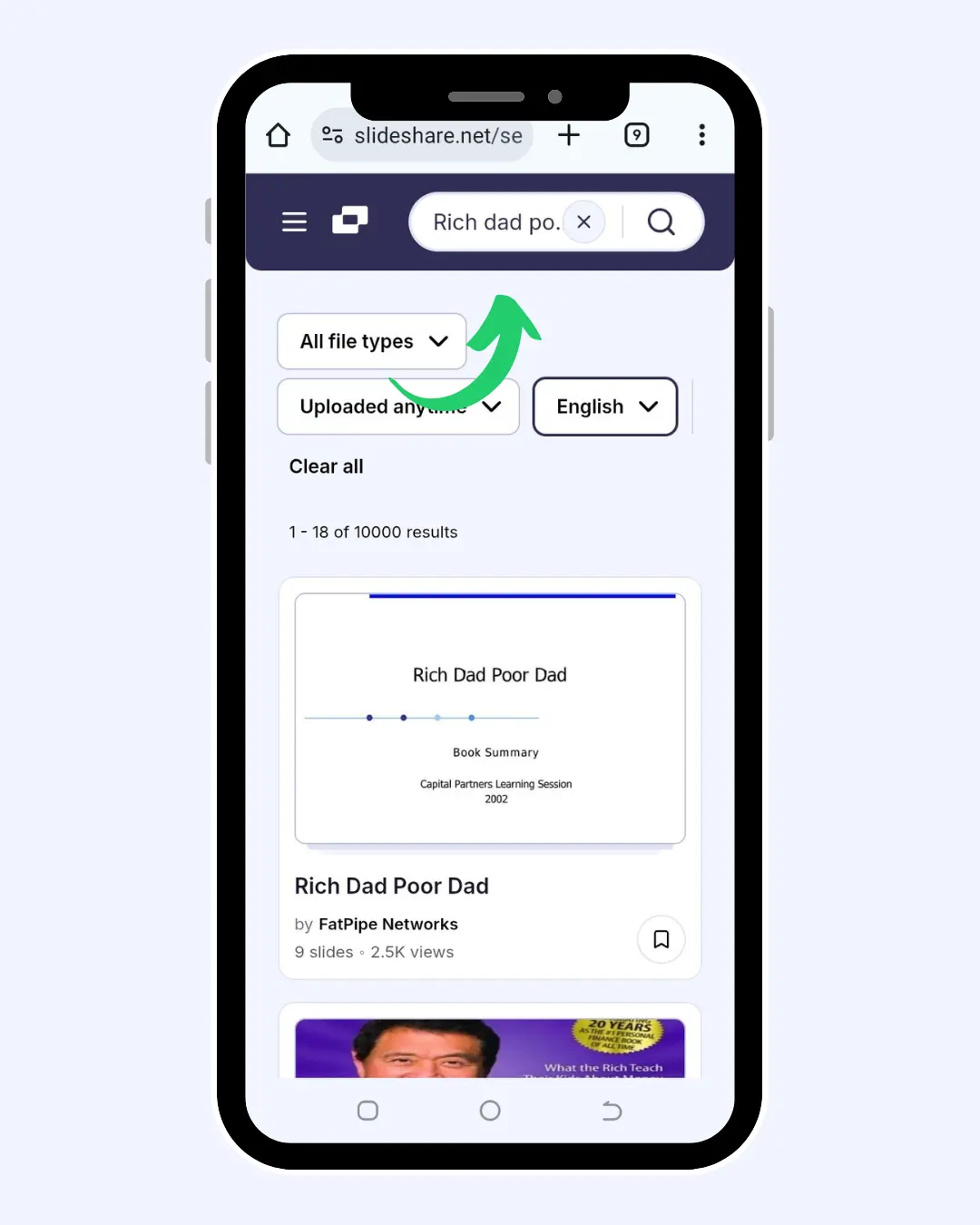
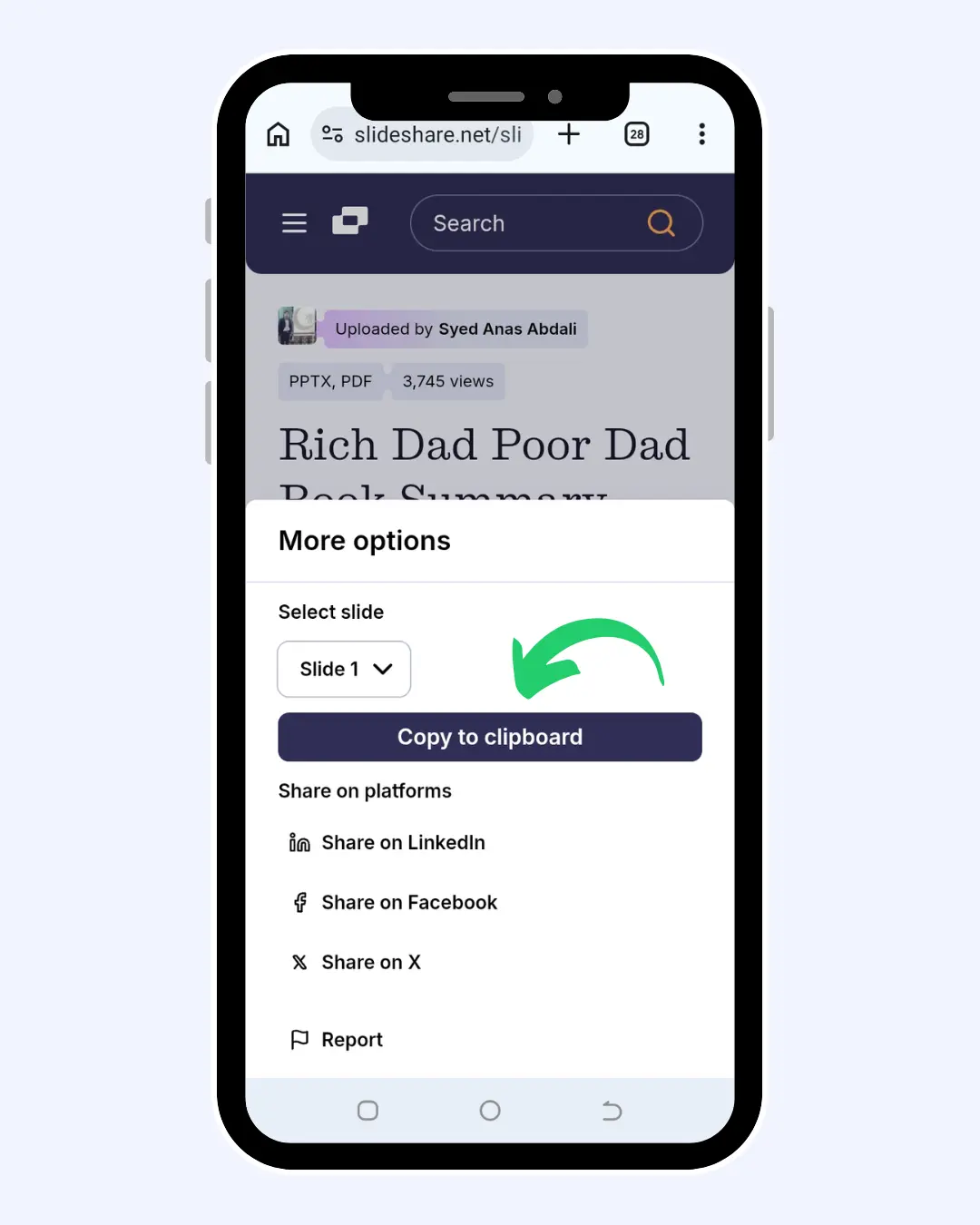
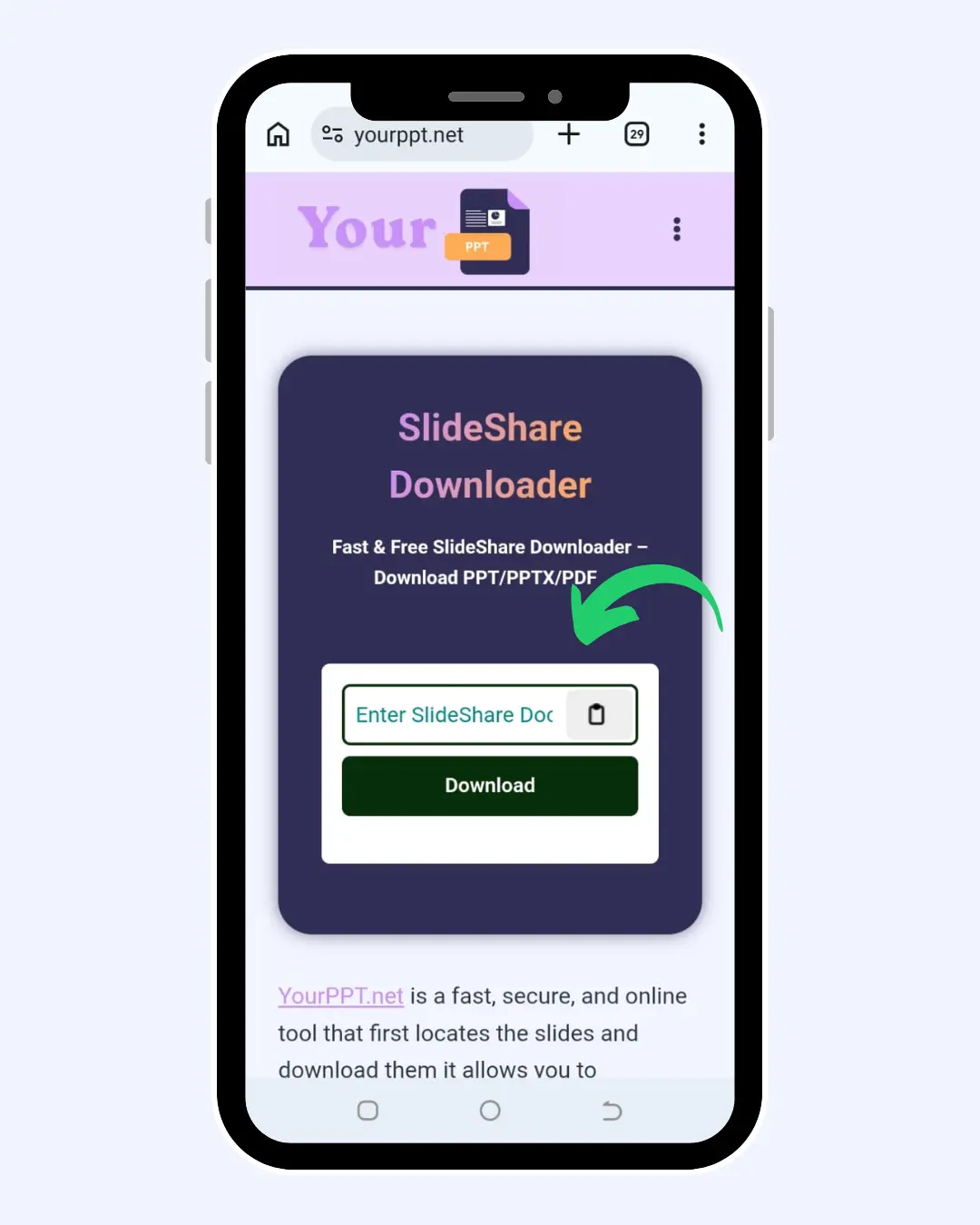
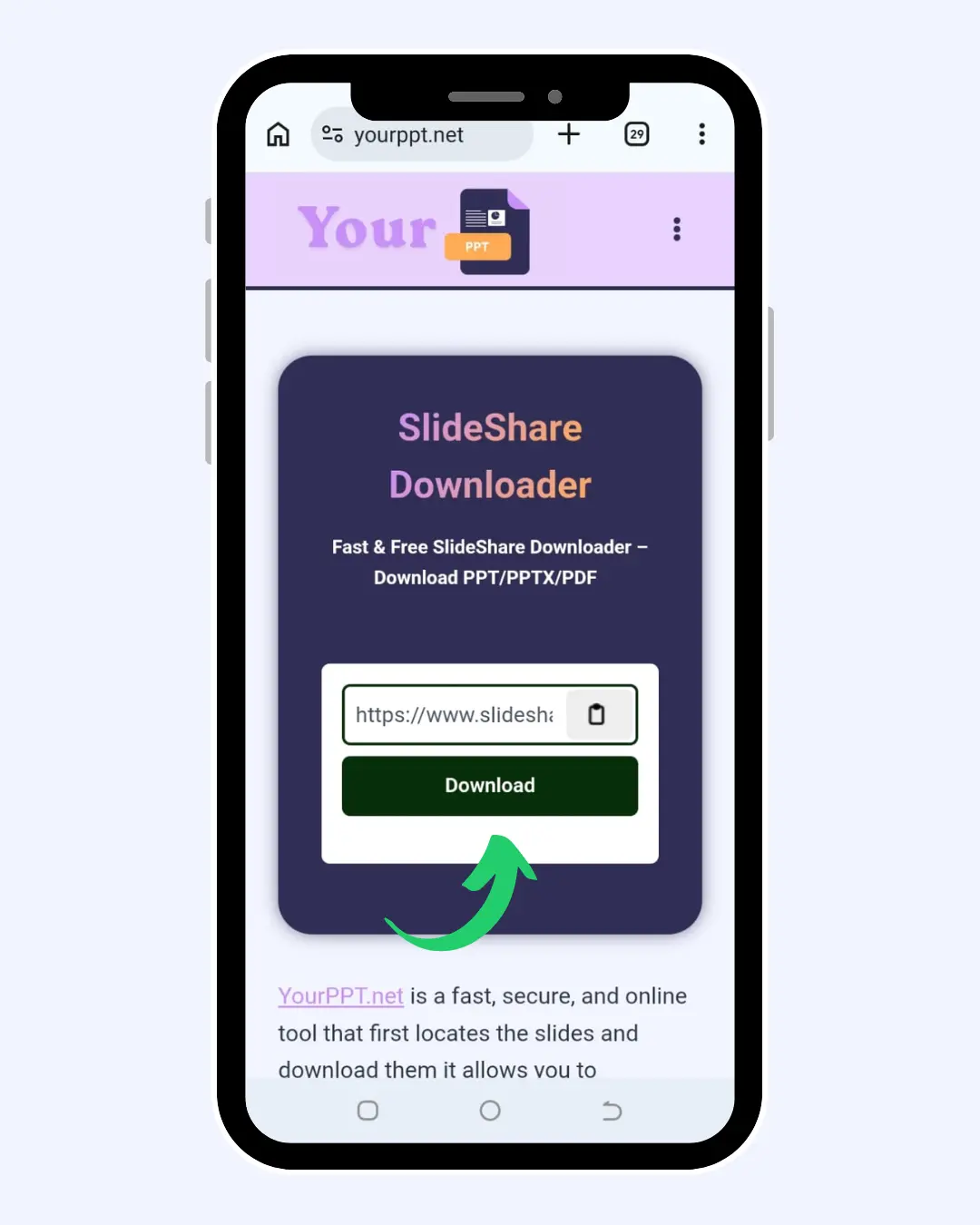
Image demonstration of how to download the file for mobile/tablet
Copy URL from the site
Search for the particular file/slide/presentation on Slideshare that you would like to download.
Make sure that you have copied the URL of the particular file.
Copy Presentation Link from SlideShare
Paste URL of Slideshare into this SlideShare Downloader
Paste your URL of Slideshare into the Slideshare Downloader.
Next, you need to enter the URL of the particular presentation into this SlideShare Downloader.
Press download after choosing your preferred file type.
Download Your Slides Easily Offline
Once the file is processed, select the download option.
Customize the file name and location before pressing the save button.
This way the file will be downloaded and will be saved on your device.
Now you can enjoy your slides offline.
Some Key features of SlideShare Downloader
Free Of Cost
You can save any available SlideShare presentation quickly without paying a single penny.
Various Downloading Formats
You can download the files, documents, and other types of slides in different formats, including PDF, DOC, PPT, PPTX, and ZIP.
Preview Your File Before Downloading
You can see your desired files before downloading. This tool gives you the option to preview the file and decide whether it is what you want to get. This feature is usually not available in other downloading tools.
Private And Secure Tool
Your security and privacy are important to us. Our downloader uses strong encryption to protect all types of data, keeping your downloading activities private and secure. You can trust us to keep your information safe and private.
Compatibility With Devices
Slideshare downloader is compatible with all types of devices, including mobile, desktop, MacBook and PC, which makes it accessible for all devices.
Simple Interference
Our Slideshare downloader has a transparent and easy interface. People of any age can use it with just a few clicks. You can quickly download any presentation and save it to your device without any interruption.
No Registration Or Sign Up Required
You can download any file without any registration or login hassles.
Unlimited Access
It doesn’t have any download limits; you can use it limitlessly.
No Branding Issues
You can download any file without any watermarks.
Who Can Get Benefits from this SlideDownloader?
This Slideshare is a versatile tool made for students, teachers, freelancers, researchers, professionals, and everyday learners.
1
Students
Students can save slides of lectures, study notes, assignments, projects, and exam preparation material for studying offline.
2
Teachers & Instructors
Instructors can plan their lessons, classroom presentations, training slides, and other types of educational resources easily.
3
Business Professionals
Businessmen can download presentation slides for their meetings, client pitchings, office reports, and office training.
4
Researchers
They can store case studies, reports, research presentations, and different learning materials.
5
Freelancers
Freelancers can save design ideas, marketing presentations, client proposal samples, and other client resources.
6
Content Creators
Content creators can collect presentation ideas, infographics, content-related tutorials, and topic research for content planning.
7
Job Applicants
Job seekers can download a resume and interview preparation guide, career tips, and presentations related to skill development.
8
Digital Marketers
Slideshare downloader is accessible for presentations like SEO, social media, branding, and advertisements for learning and reference.
9
Trainers & Coaches
Trainers can keep workshop slides, training documents, and seminar presentations for their sessions.
10
Designers
Slideshare is very useful for designers to save creative portfolios, branding presentations, UI/UX ideas, and design inspiration slides.
11
Corporate Teams
Corporators can use Slideshare to download company training slides, onboarding materials, project presentations, and for team resources.
Why Users Trust YourPPT.net over other tools
Users trust Slidedownloader as we consistently deliver a simple, reliable, and accessible experience. There are no logins, no sign-ups, no hidden charges. It is a reliable website where you can paste any slide link to download instantly without any watermark. People depend on it for its stability and reliability, and it never asks for any personal information. Many professionals, educators, and learners can use it without any interruption.
Successful Downloads
Global Users
Success Rate of download
availability on all devices
Pros and Cons of Slideshare Downloader
Here is a bulleted list of the pros and cons you provided:
Immediate offline access to all learning materials and presentations after downloading.
No account creation or subscription required; it saves time and cost.
Is beneficial for academic research, lecture preparations, client pitches, and business meetings.
Has the ability to save interesting topics for reading them later.
Can be downloaded in different formats like PDF, PPT, PPTX, DOCS and ZIP.
Information is properly managed and categorized for easy exploration.
Gives access to a large content library for extensive information on various topics.
Has a great chance to join a community of almost 55 million professionals.
Provides networking opportunities within the global community.
You can share the slide on different social media platforms like Facebook, LinkedIn, Twitter or Instagram.
All downloads are only supported for public SlideShare presentations only.
You must respect copyright and do not share protected content.
Some presentations contain embedded media that cannot convert perfectly.
Content repetition can create confusion when comparing materials from different experts.
Some presentations are locked by the uploaders.
Our Security and Privacy Assurance
YourPPT.net is 100% safe and private.
No Data Retention
We do not save any copies of your data.
Secure Connections
All types of downloads are conducted over encrypted protocols.
Ad-free Experience
You can enjoy a clean, safe, and distraction-free environment.
At YourPPT.net, we always prioritize your privacy, which means we do not keep any copies of the presentations you download, nor do we track the links you provide. Each download request is processed in real time, and every downloaded file is automatically deleted from our servers after your work is done, which ensures your activity remains confidential. Additionally, all files are transmitted via encrypted channels to keep them safe from being stolen or changed.
Our website does not contain any advertisements, pop-ups, or any other malicious scripts, making sure that downloading slides is safe.
Instant Steps for saving Slideshare documents
The steps written below can help you achieve this:
First, log in to your Slideshare account.
Find the document that you wish to save.
Select the ‘Download’ function to save the document.
Then you will have an option of personalization, where it should be stored.
Personalize it and select the appropriate destination.
Then you will click on the ‘Save‘ button to save the document.
Embedding a SlideShare Presentation Into Your Wiki Using a Link
Sign in to your SlideShare account.
Choose Upload, then select the presentation you wish to embed.
Go to the presentation that you have uploaded and find the embed or share tab.
Select the “View Presentation” choice.
Select the Share option, then copy the provided embed code.
Head over to your wiki website and use the Embed Widget choice or embed choice.
Paste the embed code you copied to the correct place.
Save the changes made.
What Users Say
Personal Review
YourPPT.net is an excellent resource that helps to download PPT, PDFs, and MS Word from the Slideshare tool. Additionally, this process of downloading is quick, and it never involves captcha filling. There is no need to log in to the website; thus, it is entirely safe and reliable.
Sophia
User Experience
Yourppt.net is a helpful tool for downloading Slideshare files. I can download my slides without any problem. It supports PPT, PDF, or Word files. This site works fast and is the best among the others. The best part is that there are no annoying sign-ups or registrations needed.
Daniel
Customer Feedback
I had a wonderful experience! This site was rather easy to use, and I downloaded many slides here because there was no need for a subscription after a few uses. It offers unlimited SlideShare downloads without requiring a subscription.
Emma
Frequently Asked Questions
Yes, the downloader is 100% free. You can download presentations without paying any charges.
A: No, you do not need an account. Our tool allows you to use it right away without registration or login hassles.
Yes, our downloader supports various formats like PDF, PPTX, DOCS and PPT, you can access the files on your device.
Yes, it will. The website is very responsive and easy to use on mobile phones, tablets, and laptops.
Yes, they are. We use encryption to protect your downloads and personal information.
Files are processed for the time being only and removed automatically according to our retention policy. We do not keep any type of files for the long term.
A conversion from SlideShare to MS Word can be done through several web converters. These converters work for free or charge some money. But if you want an easy conversion, then you should use a free one.